
Mission control for AI agents
Run a board the dispatcher works card by card, put orchestrators in charge of a goal, or let any agent spawn subagents you watch live in split panes — then pin sessions, shells, and project widgets to a dashboard and just talk to it. Your whole flock, from one screen, by keyboard or by voice.
One binary · your machine · your code never leaves the nest
Run the flock by voice
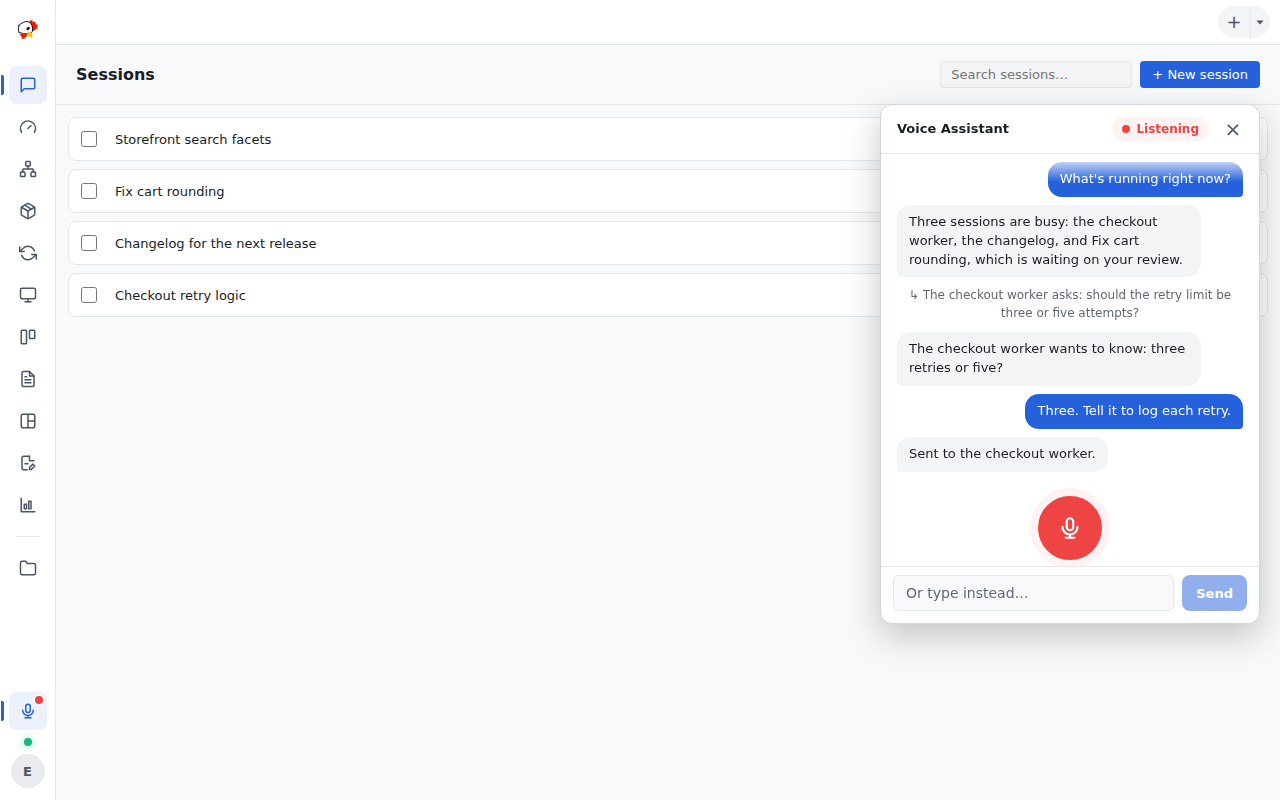
Press Listen and talk. One Assistant sees every session, card, and project across all your folders — ask what's running, open a board by name, or answer a worker's question without touching the keyboard.
- Reads and manages your work. Sessions, cards, and projects in every folder, from one conversation.
- Drives the screen. Say a name and it opens the project, session, or card.
- Routes work only when you ask. It hands a task to another session on your say-so, never on its own.
- Relays questions, one topic at a time. When a session needs a decision, the assistant brings it to you and answers on your behalf — never talking over you.
- Natural speech, on your server. Kokoro TTS runs inside PeckBoard, with a voice picker, speed control, and fully phonetic replies so names come out right.
- Cut in any time. It stops the moment you speak and never replays what you cut off. A soft cue and a short filler cover the wait while it works.
- Yours to tune. Edit the pronunciation list — or just say “pronounce X like Y” — and edit its system prompt, with every version kept.
Listening works in Chrome, Edge, and Safari, including iPhone and iPad — not Firefox. Kokoro speech plays in any modern browser.
The Assistant →
Fresh From the Latest Releases
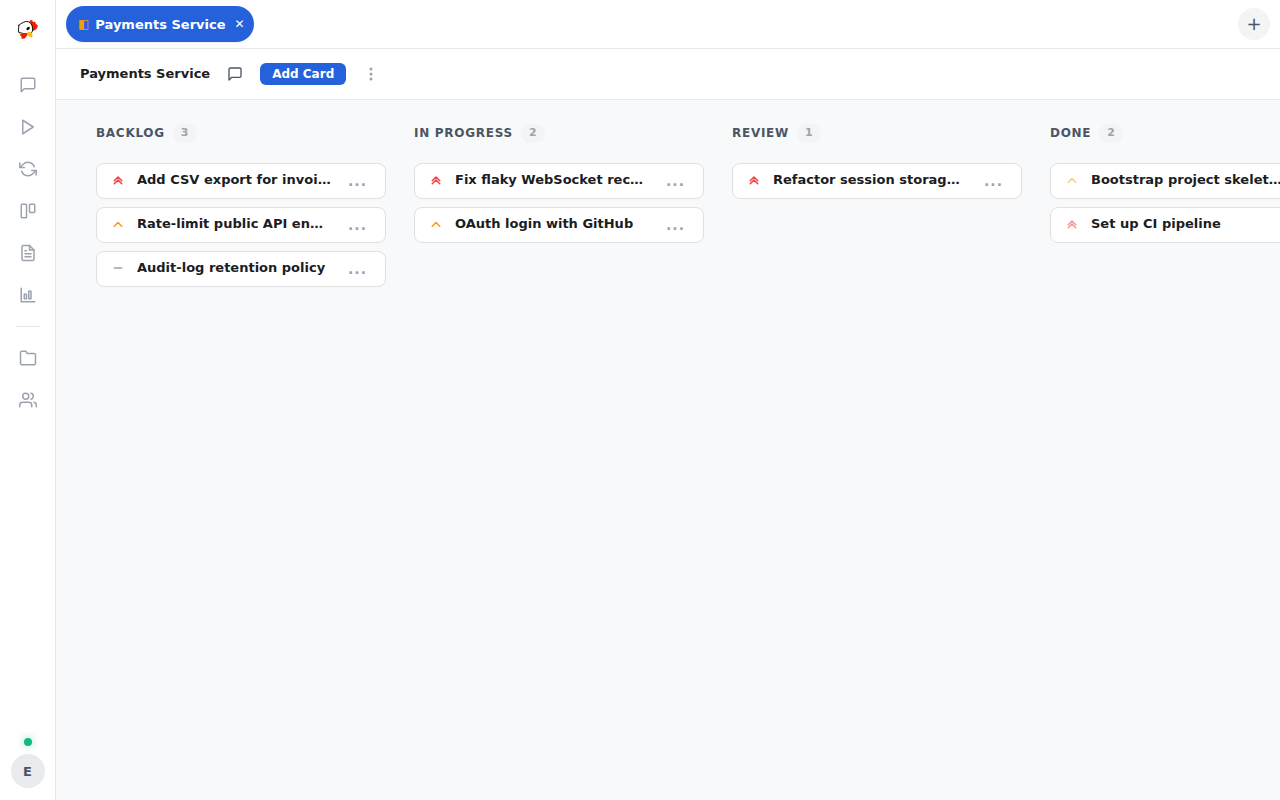
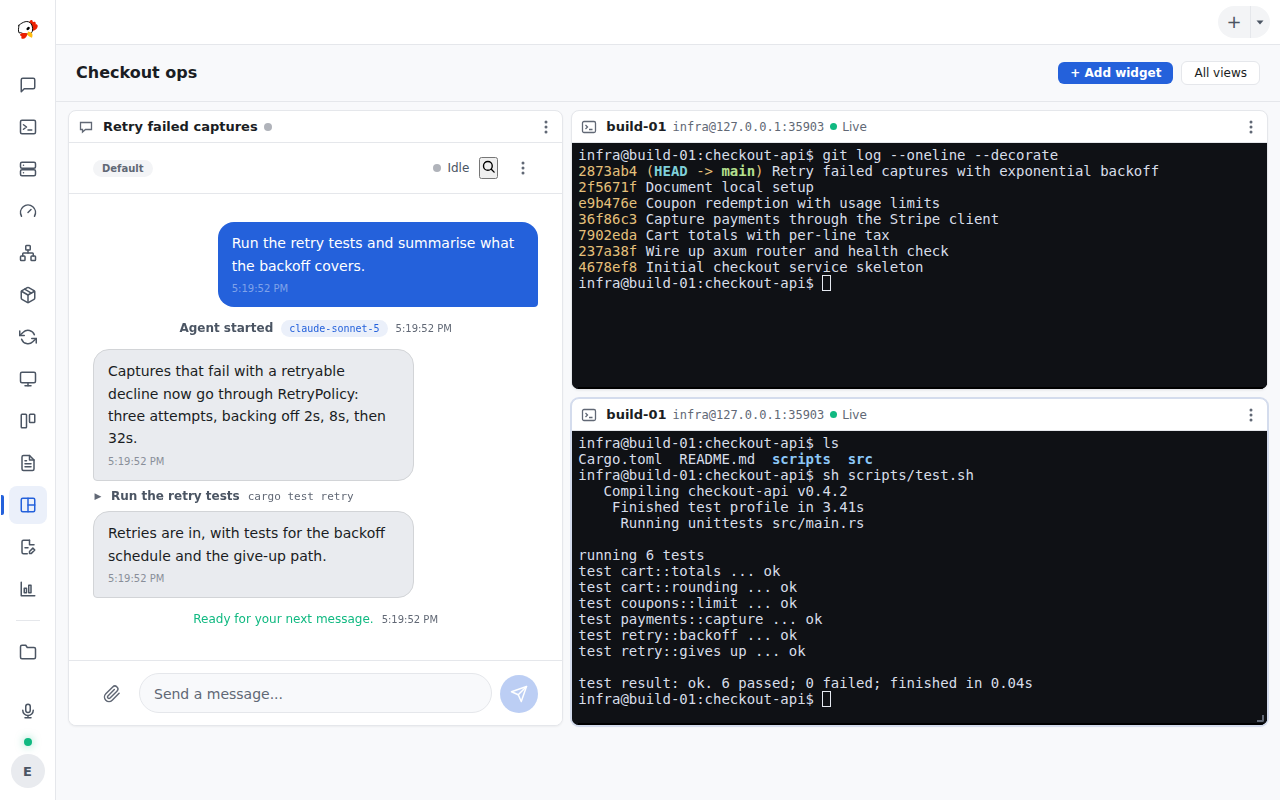
Widget dashboards (0.1.81–0.1.83)
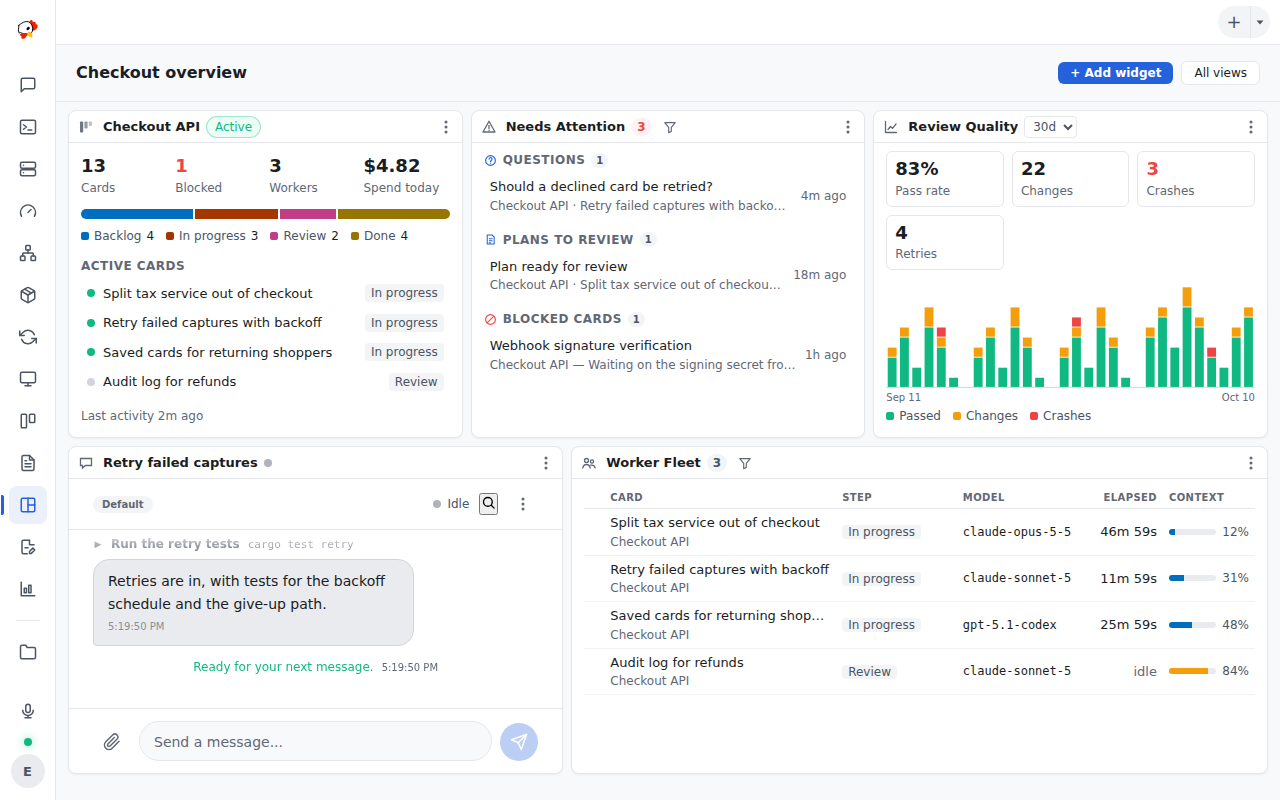
Views became a drag-and-resize grid of widgets: live session and terminal panes, project summaries, Needs Attention, Worker Fleet, Review Quality, PRs & CI, SSH activity, and more — eighteen kinds in all.
Filters that stick (0.1.84)
Every list widget has a filter bar — search, status chips, toggles, pickers — saved with the view, so a dashboard of failing checks or blocked cards looks the same on every device.
Real SSH terminals (0.1.77–0.1.80)
A true interactive shell on any fleet host, in a tab, a pop-out window, or a dashboard pane. It runs in tmux, so it survives restarts and dropped networks and replays its scrollback.
Card run history (0.1.79)
Sessions that worked a card are sealed, not deleted. Open Sessions (N) on any card to read every implementation and review run, with model, outcome, and summary.
Reviews on a different model (0.1.72–0.1.75)
The review step never grades its own homework: it runs on a peer model from a cross-provider review pool, jumps the queue ahead of the backlog, and leaves a verdict on the card.
Session memory (0.1.76)
Each session keeps a memory pool its agent writes to and sees on every start — through clears, compaction, resumes, and model switches.
Every binary, with checksums, on the Downloads page; release notes on the releases page.
Three ways to put the flock to work.
01 · Board
Add cards; the dispatcher ships them
Write cards the way you'd brief a colleague. The built-in dispatcher picks them up by priority, spawns a worker session per card, and moves each card to Done after review.
Core concepts →
02 · Orchestrators
Put a brain in charge of a goal
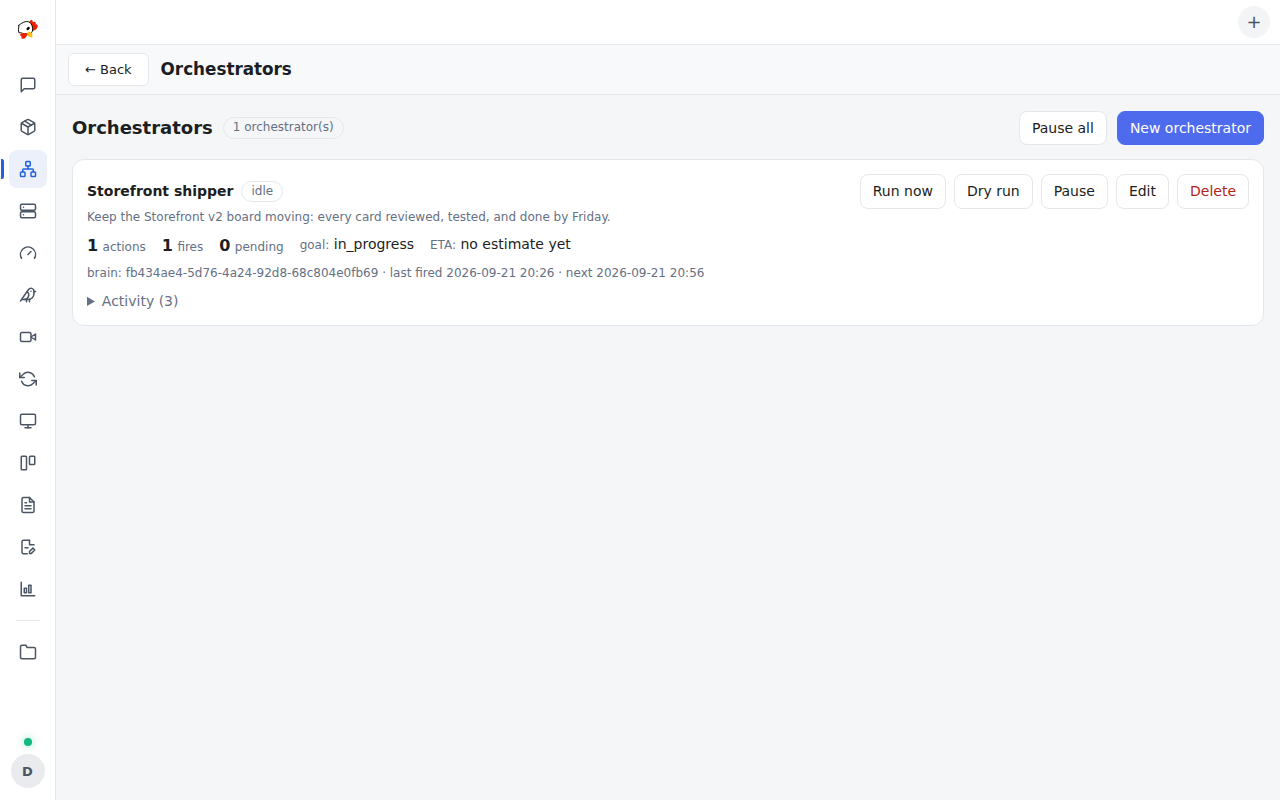
Give an orchestrator a standing goal and triggers. Each fire runs a brain session that creates sessions, hands them hats, watches them, and reports back. Comes with the Session Control plugin.
Session Control →
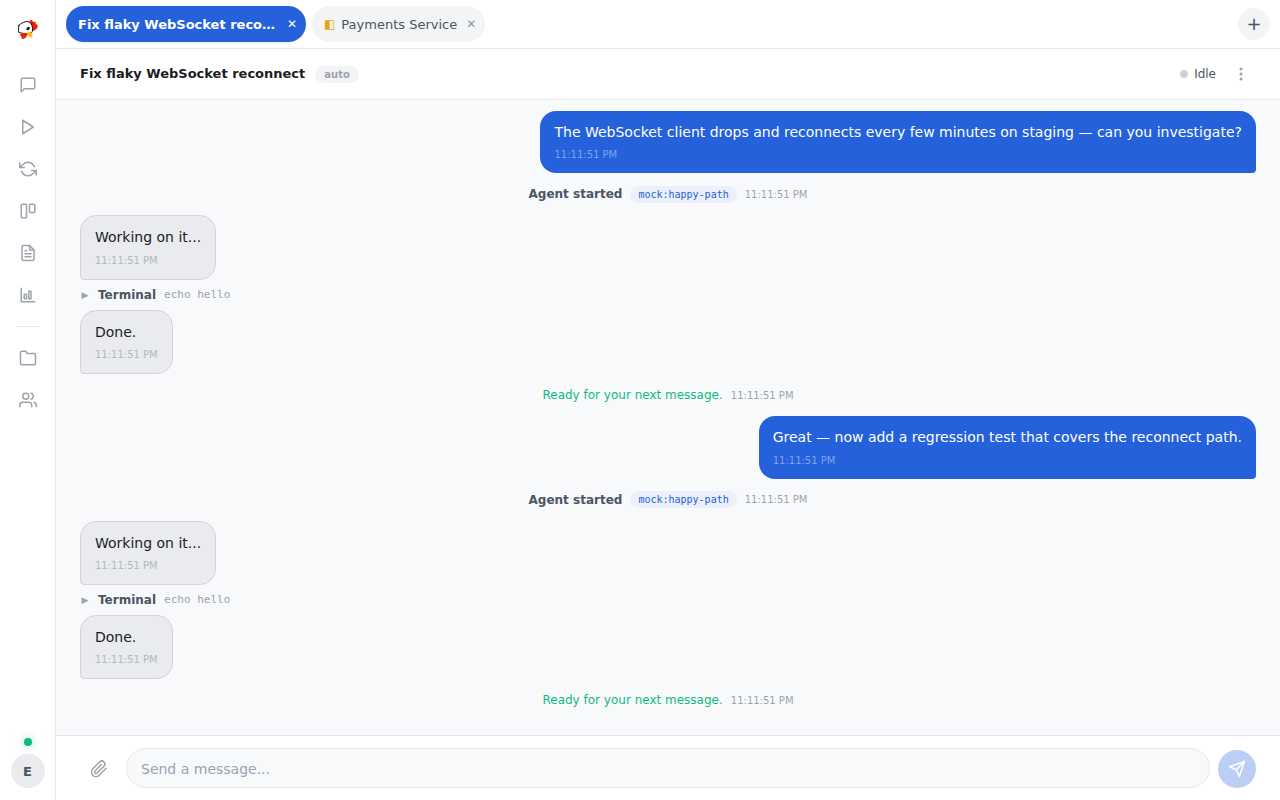
03 · Subagents
Fan out, watch every pane
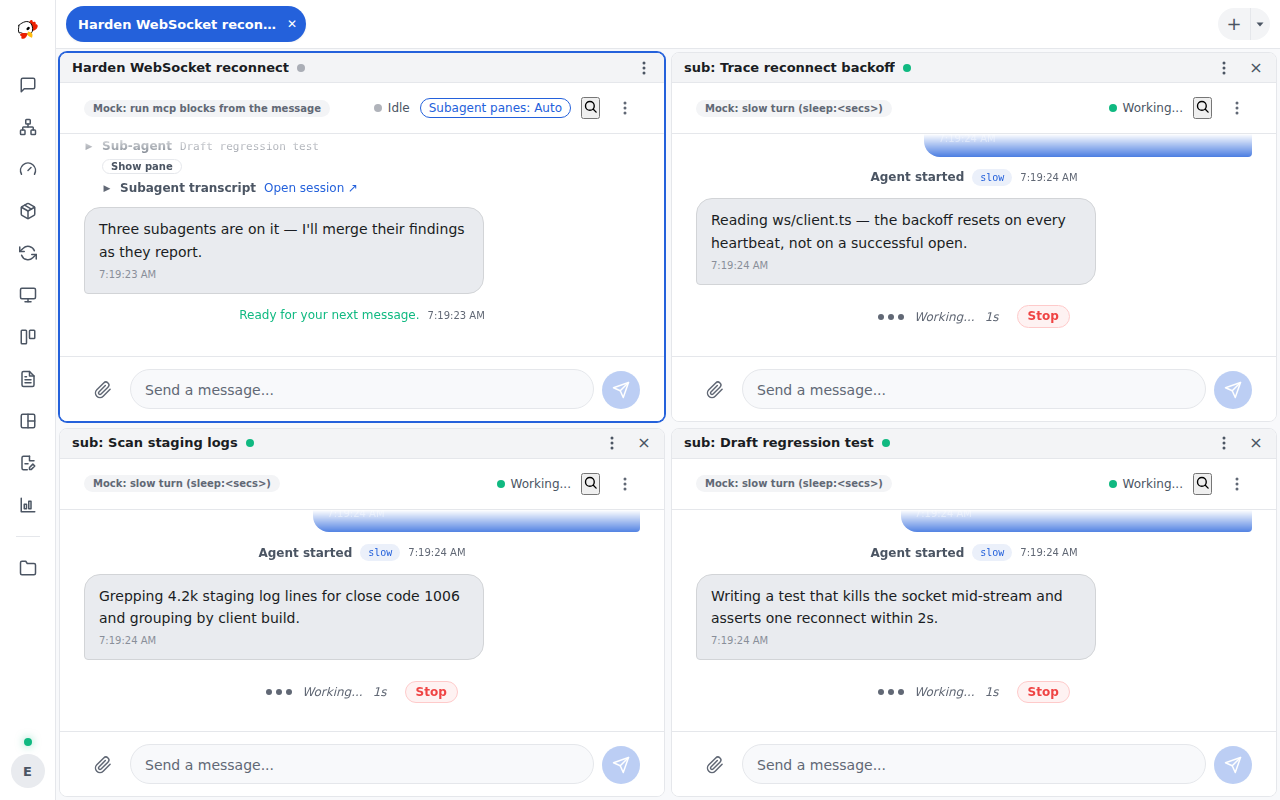
Any agent can spawn child sessions. They run in parallel in live split panes, and each child's result is posted back to the parent automatically.
Subagent panes →Everything your flock needs
Your whole operation on one screen
Build a View from widgets on a 12-column grid — drag by the header, resize from the corner. Mix live session panes and SSH terminals with project summaries, Needs Attention, the worker fleet, review quality, PRs and CI, background tasks, and SSH activity. Scope each widget to a project or host, filter it, and the layout and filters save with the view.
Views dashboards →
A real shell on every host
Open an interactive terminal on any SSH Fleet host — vim, top, tab completion, and sudo all work. The shell lives in tmux on the host, so closing the browser or restarting PeckBoard never kills it: the tab reconnects and replays its scrollback. Put several shells and a session side by side in one View.
Terminals →
Watch every subagent at once
When an agent fans work out with spawn_subagent,
each child slides into its own live pane beside the parent chat,
tiled into a grid, and its result is posted back to the parent
when it finishes. A pane lasts exactly as long as its subagent —
even one that outlives the parent's turn — then closes itself.
Switch panes Off, and finished subagents reopen from their tool
card.
Goals that drive their own sessions
An orchestrator holds a standing goal and fires on a schedule, when a watched session goes idle, or from a watchdog while the goal isn't done. Each fire wakes a brain session that creates sessions, gives each a hat — a named scope of responsibility — watches them, and reports progress. Its own Orchestrators page shows goal progress with an ETA, a dry run of the next prompt, and Run now. Comes with the Session Control plugin.
The Session Control plugin →
Chat with any session
Every agent run is a session you can open: the full transcript, each tool call, and the model's replies stream in live. Interrupt, redirect, or just ask what it's doing — workers, subagents, and plain chats all speak the same way.
Core concepts →
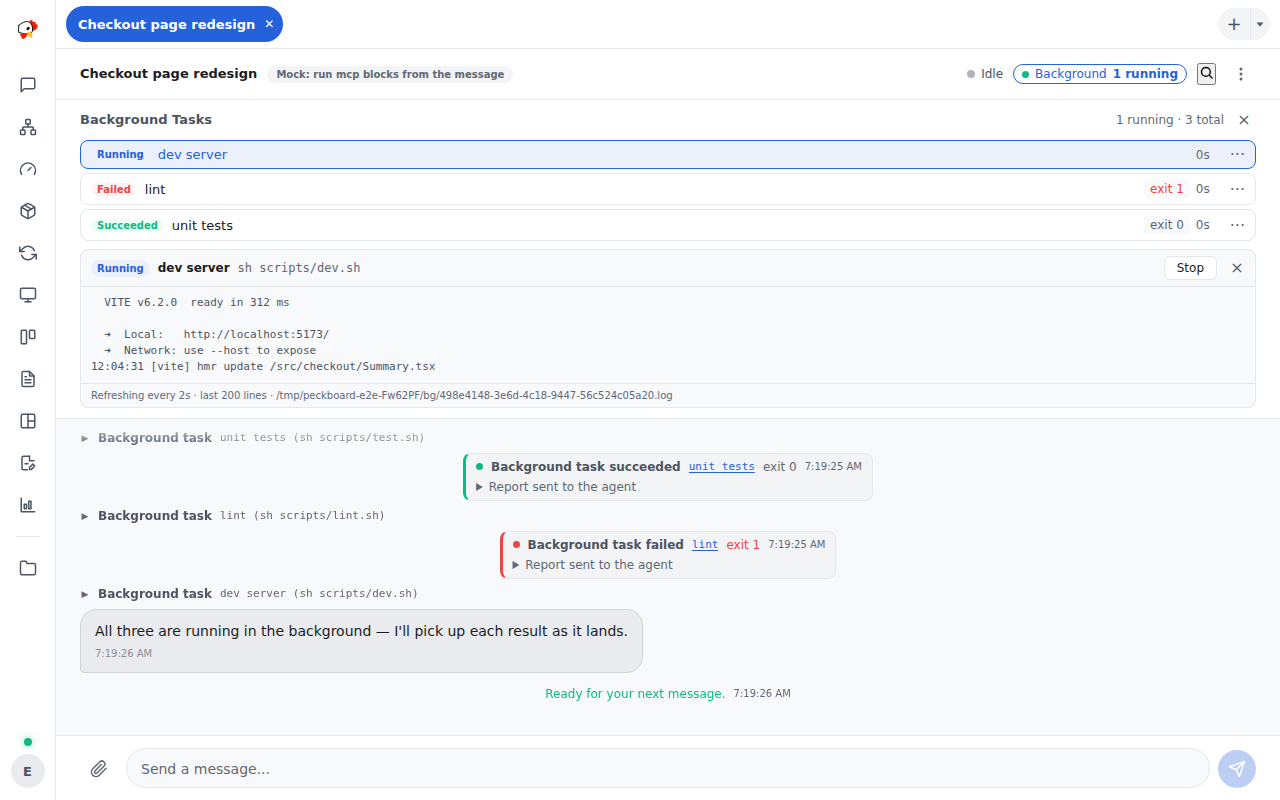
Long jobs that report back
Dev servers, builds, and long test runs start through
run_background, not a stray shell. PeckBoard owns
the whole process tree, keeps the log, stops it on timeout or
session delete, and wakes the agent with the tail when the job
ends. The Background chip shows every task, its output, and a
Stop button.
Review documents with an AI pass
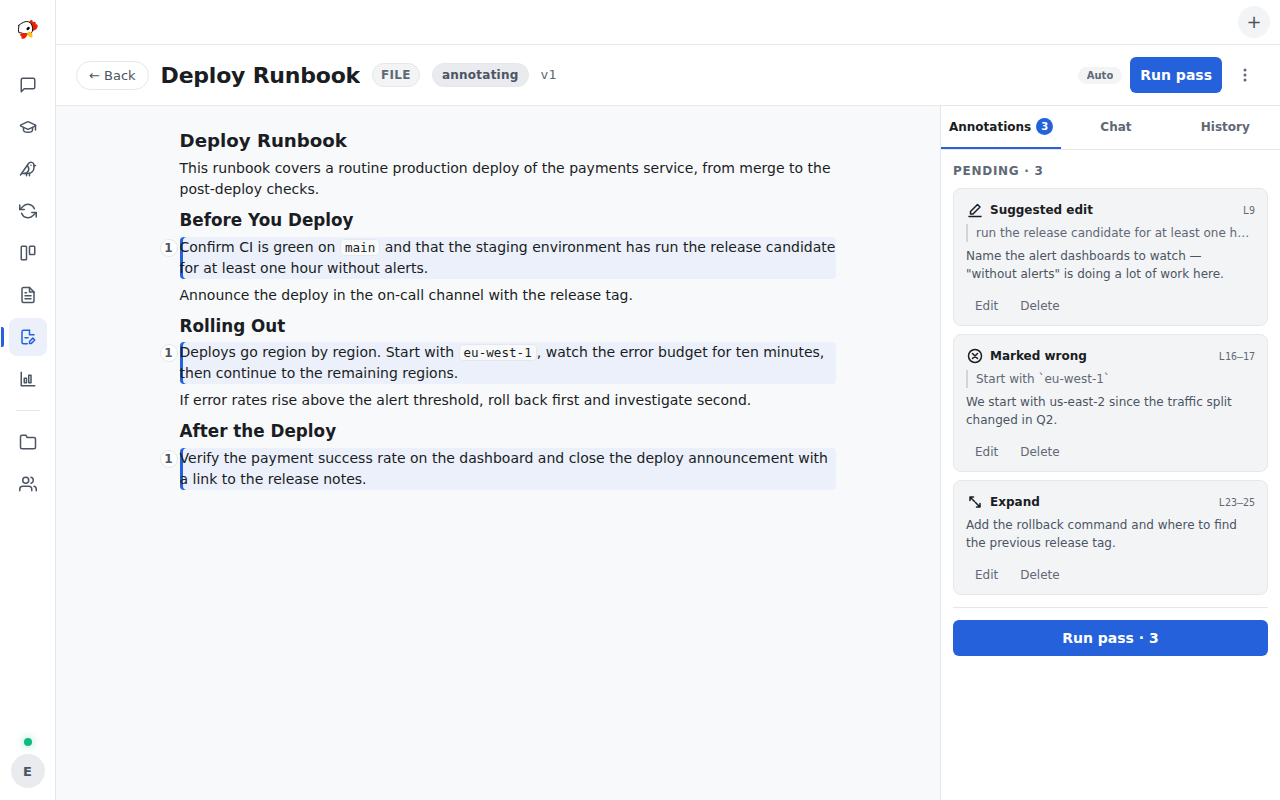
Annotate any markdown document — suggest, mark wrong, ask to expand — and run a pass: a reviewer session revises the document, resolves each annotation with a note, and asks an inline question when it needs your call. Every revision is a version with a diff, and nothing touches the source until you apply. Link a GitHub pull request and its review comments come along.
The review flow →
Bring the CLI you already use
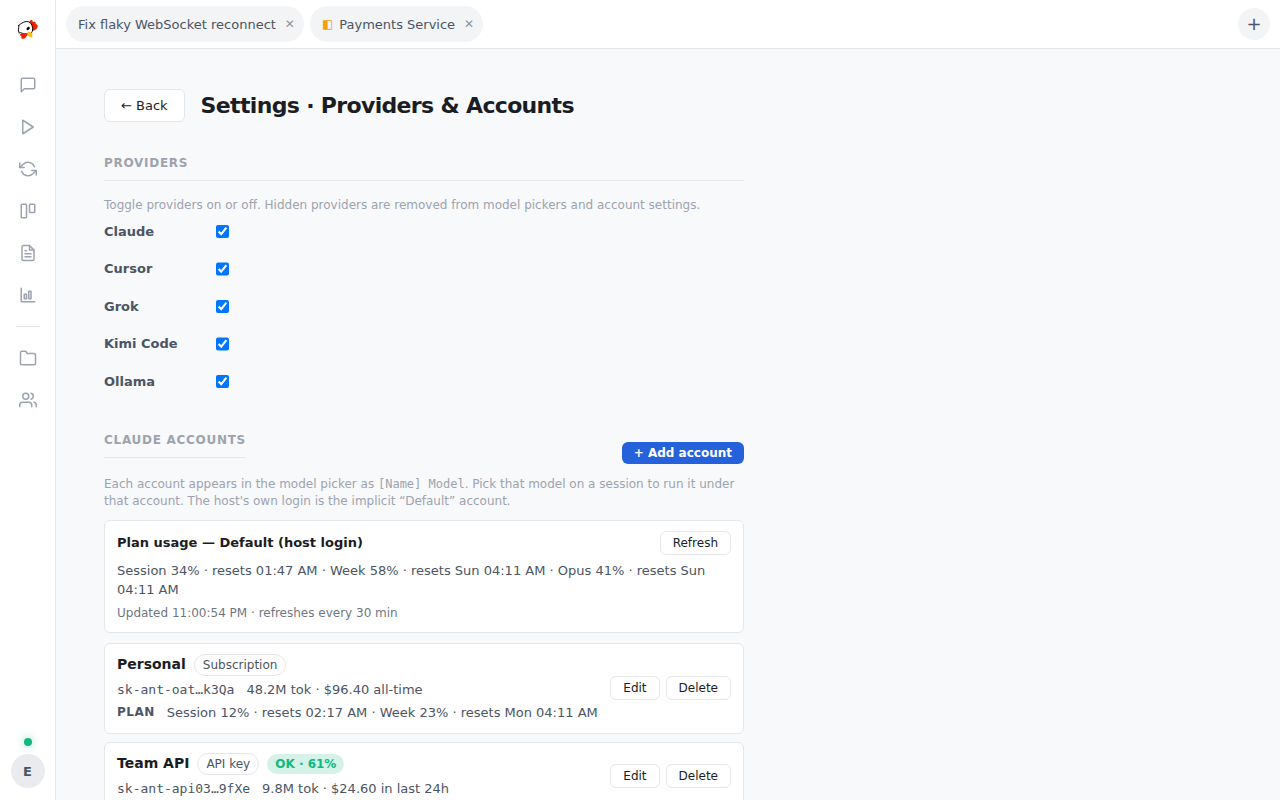
PeckBoard drives the coding CLIs installed on your machine — Claude Code, OpenAI Codex, Cursor's cursor-agent, Grok, and Kimi Code — plus your own Ollama servers and any OpenAI-compatible endpoint. Sign in multiple accounts per provider, give each a spending budget, and watch real subscription plan usage — every model shows up in one picker.
Providers & supported CLIs →
Plugins in two clicks
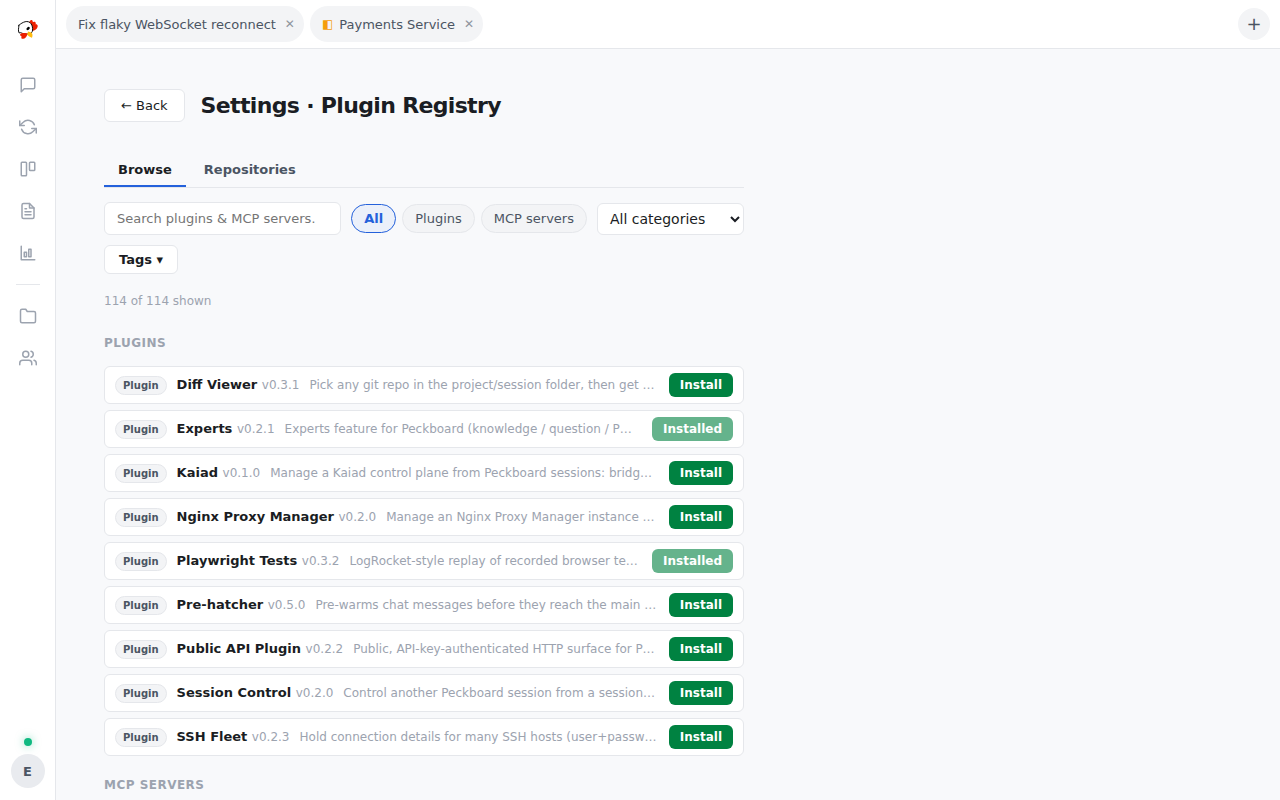
A built-in registry installs eighteen WebAssembly plugins — a code knowledge graph, an app installer, SSH fleet tools, session orchestrators, a UI design gauge, a public REST API — and over a hundred MCP server templates. Nothing runs until you approve the exact hooks a plugin asks for; deny and it stays dormant.
Browse the plugins →
Replay every test flight
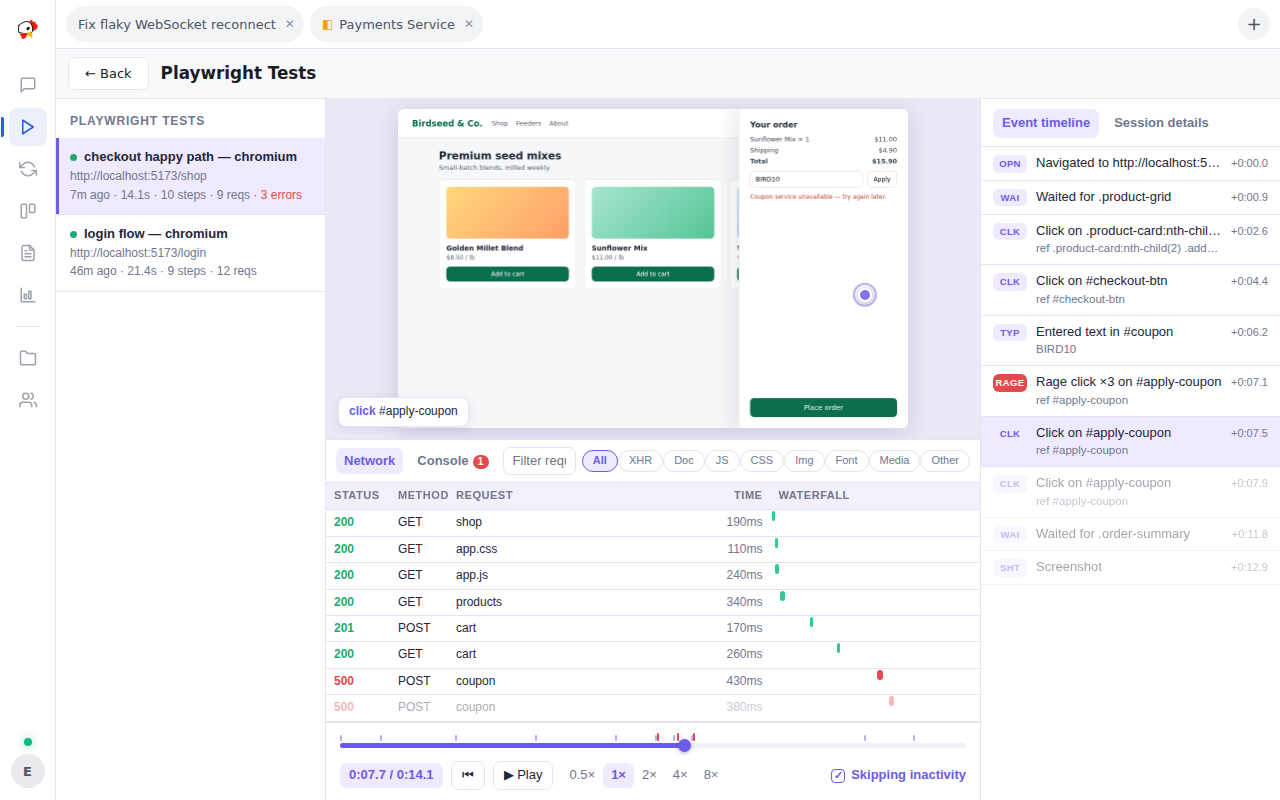
Recorded test runs replay like a session-replay product: the cursor moves, clicks ripple, the network waterfall and console scroll alongside, and rage-clicks are called out. Playback skips inactivity so a two-minute run reviews in seconds.
The Playwright Tests plugin →
The rest of the flock's kit
Usage dashboard
Token and cost rollups per model, project, and session — with trends over time — so you know where the spend goes before the bill says so.
Repeating tasks
A saved prompt on a schedule: every N minutes, daily, or weekly. Each firing starts a fresh session in the task's folder — nightly dependency checks, morning summaries.
Multi-user access
Accounts with per-user sessions: each person sees and streams their own conversations, and admin-only surfaces stay locked to admins.
Plans before code
An agent proposes a plan you can read, comment on, and revise; a wizard then turns the approved plan into cards the flock works through.
Sessions that remember
Each session keeps a memory pool its agent maintains with MCP tools and sees on every start, so what it learned survives clears, compaction, and model switches.
Every card's full history
Implementation and review sessions are sealed, never deleted, and the review runs on a different model than the one that wrote the code — its verdict lands on the card.
Reports that outlive sessions
Agents write markdown reports — research, audits, findings — that collect in a browsable library long after the session that wrote them is gone.
Every tool call, readable
Whichever provider runs the agent, the transcript reads the same: the real command line, the model's one-sentence reason, and a diff card for every file edit.
Remote-control agents
Enroll another machine with the peckboard-agent daemon. It dials home over an outbound WebSocket so sessions can run commands, manage servers, and drive the screen — no inbound ports required.
One binary. Your machine. Your code.
The web interface, database, and TLS certificates all live inside a single binary. State is a SQLite file in one directory — a backup is a folder copy. No external services, no cloud account, and your source never leaves the machine the agents run on.
Configuration covers the flags, accounts, and where data lives.
# grab a release, then hatch it:
./peckboard
# prints the admin login and listens on :3344