 PeckBoard
Session Control
Session Control lets one session act on other sessions — interrupt a stuck turn, send a message into a subagent, clear a scratch session — and adds orchestrators: goal-driven brains that schedule, watch, and direct sessions autonomously from their own sidebar page.
Controlling Other Sessions
Same-folder targets run immediately. Cross-folder mutating actions ask the user first (Approve once / Approve always / Deny); an Always grant is remembered for that controlling session. find_session stays folder-blind so agents can discover targets without a prompt. Worker sessions cannot call these tools at all — the session_control permission is denied to workers by default.
| Tool | What it does |
|---|---|
find_session |
Lists sessions across every folder and project, with an optional substring query |
read_session |
Reads another session’s recent event tail (default 50 events, max 200) |
interrupt_session |
Stops another session’s in-flight turn without touching its history |
terminate_agent |
Kills a session’s agent process; the next message starts a fresh one |
clear_session |
Wipes a session’s history, todos, and attachments — irreversible |
send_message |
Delivers text into another session as if the user had typed it, and resumes it |
send_image |
Delivers an image into another session as an attachment, with an optional caption |
create_session |
Creates a session in the caller’s folder, optionally with a hat |
assign_hat |
Writes a named scope of responsibility into a session’s system prompt |
Orchestrators
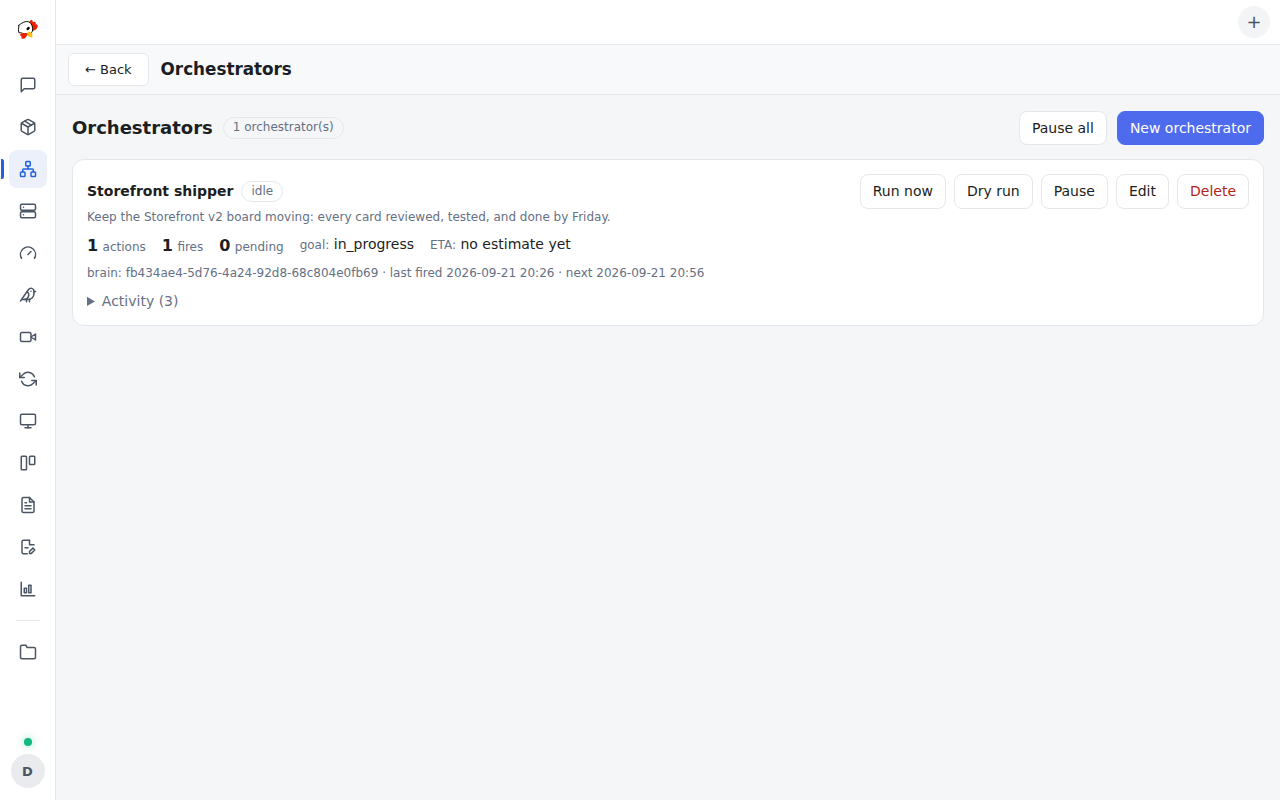
An orchestrator is a standing goal with triggers. Each one holds a goal, a prompt template, and fires on a schedule (every N minutes), when a watched session goes idle, or from a watchdog that re-engages while the goal is not done. A fire renders the prompt into a lazily-created “brain” session in the configured folder, under a standing system prompt carrying the goal, its powers, and the standards you enabled (development, testing, UX, or free-text custom ones).
The page shows per-orchestrator action counts, pending triggers, goal progress with an ETA and its drift, the activity feed, and the managed sessions with their hats. A dry run previews the exact prompt a fire would send, and Run now fires immediately. Guard rails keep a runaway brain in check: an hourly fire cap that auto-pauses, a per-orchestrator cooldown, busy-coalescing, consecutive-failure backoff, and a global Pause all switch.
Brain sessions get five extra tools: watch_session / unwatch_session (re-engage me when that session’s turn ends), list_managed_sessions, update_goal_status (state, note, percent, ETA), and orchestrator_report (one-line activity-feed entry).
Hooks, permissions, and upgrade notes
Hooks: mcp.tool.invoke, timer.tick, session.agent.ended, session.message.before, http.request.before, http.request.authed. Permissions: provide_mcp_tools, session_control, ask_user, data_store, session_orchestrate, session_write, models_read, user_authority, contribute_sidebar.
Upgrading from a 0.2.x or 0.3.x install re-triggers the approval prompt — 0.4.0 added the orchestrator hooks and permissions. Approve always grants for cross-folder control have no revoke button in Settings; clearing the plugin’s data resets them.