 PeckBoard
Core Concepts
PeckBoard is mission control for AI agents working in your code. There are three ways to put them to work: a project board, where you add cards and the dispatcher launches worker sessions that pick them up, make the changes, and move them to Done; orchestrators, which put a brain session in charge of a standing goal; and subagents, child sessions any agent can spawn and you watch live in split panes. The board flow looks like this:
graph LR
  P[Project] -->|you add a card| B[Card in Backlog]
  B -->|picked up automatically| W[Worker Session]
  W -->|work finished| D[Card in Done]
Projects and Folders
A folder is a path on your machine that you register once under a name — typically a checked-out repository — and then pick from a list whenever a project, session, or repeating task needs somewhere to work. A project is a kanban board attached to one folder: every agent working that project’s cards reads and writes files in that folder. When you create a project you give it a name, the folder it works in, a default model, and a workflow — the ordered steps its cards pass through.
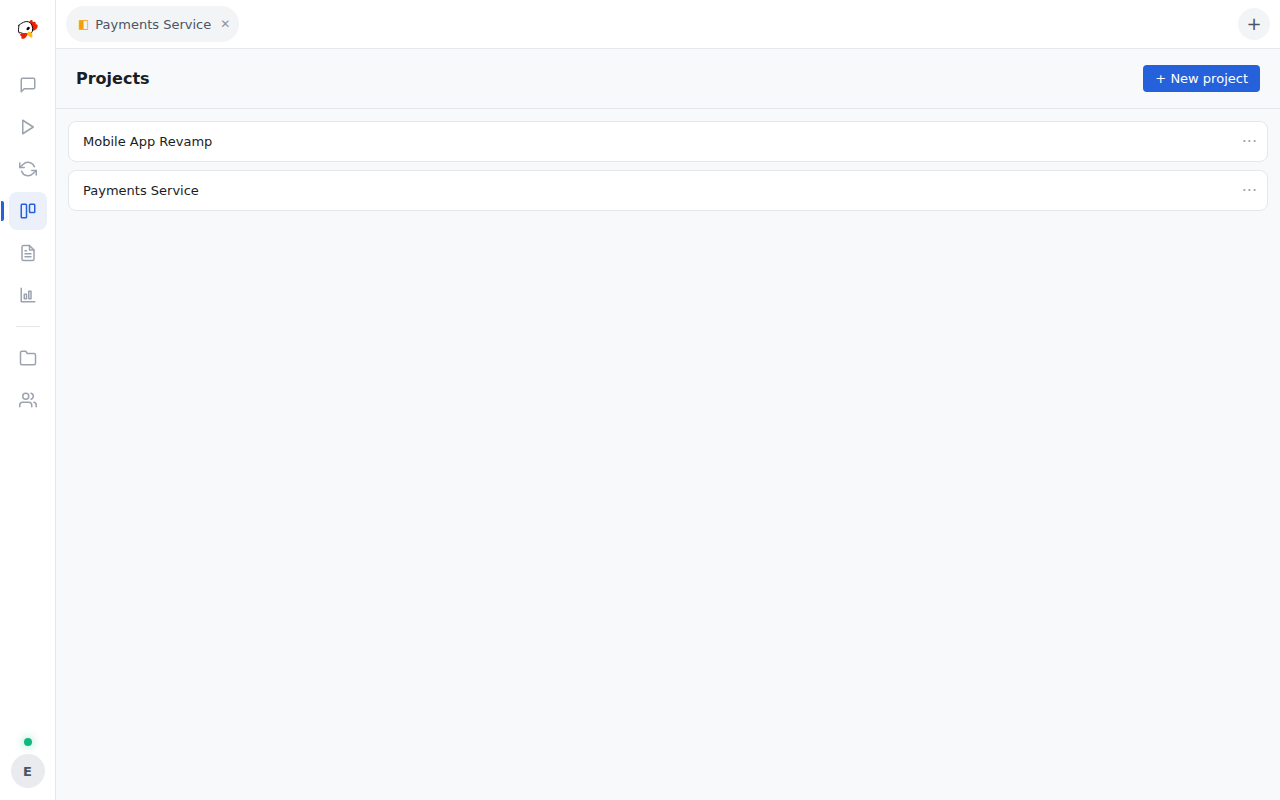
The Projects view lists every board; opening one shows its cards.
Cards and the Board
A card is one task: a title, a description of what should be done, and a priority from Critical down to Low. The board shows the columns Backlog, In Progress, Review, and Done, plus a Won’t Do column for cards that were dropped rather than finished. A new card starts in Backlog, and agents move it across the board as the work progresses — you never have to drag it yourself, though you can.
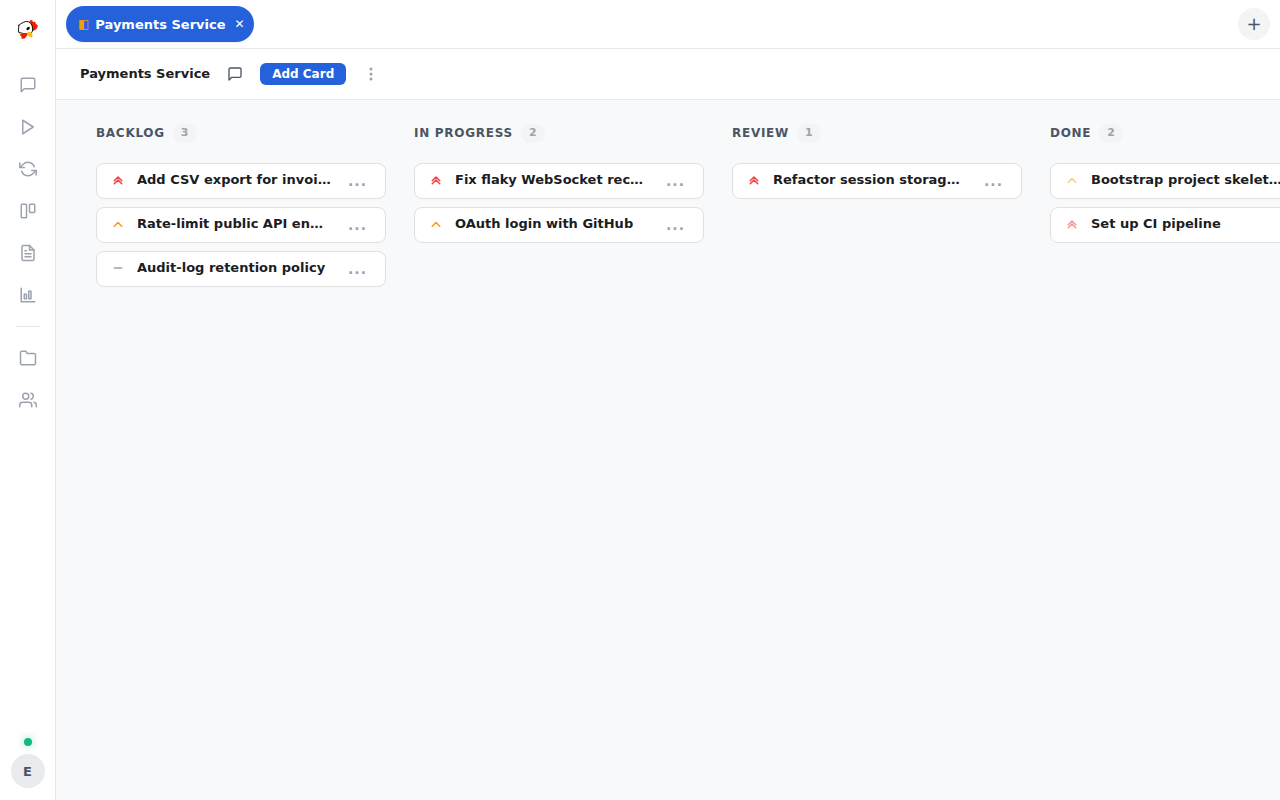
Cards in Backlog are picked up automatically by the dispatcher: as long as the project is active and has a free worker slot, the highest-priority card that is ready to run gets a worker within a few seconds.
How pickup decides which card runs next
Every few seconds PeckBoard checks each active project. A card is ready when no worker is already assigned to it, it is not marked blocked, and every card it depends on is Done. Ready cards are ordered by priority, and workers are started for as many as the project’s worker limit allows — the limit is per project (default one), so a project with three ready cards and a limit of one runs them one at a time. If a card’s worker crashes twice in a row, the whole project pauses and shows the reason, so a failing card cannot burn through attempts unattended; resuming the project clears the counter.
Chat Sessions and Worker Sessions
A session is one conversation with an agent. A chat session is driven by you: you open it from the Sessions list, type messages, and the agent answers. A worker session is an agent launched to complete one card on the board — it works autonomously until it finishes the card, hands it to the next step, or gives up. Worker sessions stay out of the Sessions list so they do not drown your chats; while one runs, its card shows a Worker badge on the board, and the card’s menu has a View Session item that opens the worker’s conversation in the same chat view.
Steps, handoffs, and multi-step workflows
A card’s workflow can have more than one working step — for example backlog, in progress, review, done. A worker either finishes the whole card, which moves it straight to Done, or completes just its step and hands off, in which case a fresh worker is started for the next step with a summary of what was done so far. A card that passes through several steps is therefore worked by several workers in turn, each visible from the card.
Dependencies Between Cards
A card can depend on other cards in the same project. It then waits in Backlog, untouched, until every card it depends on reaches Done — useful when one change must land before another can start. Dependencies are set with the Depends On checkboxes when creating or editing a card.
What a dependency does and does not accept
Only Done satisfies a dependency. A prerequisite moved to Won’t Do keeps its dependents waiting forever — drop the dead edge from the dependent’s Depends On list to release them. Dependency cycles are rejected when you try to create them, so the graph always has an order in which cards can run.
Subagents
Any session can hand part of its work to subagents — child sessions it spawns with the spawn_subagent tool. They run in parallel, each in its own live split pane beside the parent chat, and when a child finishes its final message is posted back to the parent automatically, so the parent picks up the results without polling. Long builds and test runs follow the same report-back shape as background processes. See Subagent Panes for how the panes behave.
Orchestrators
An orchestrator is a standing goal with triggers — a schedule, a watched session going idle, or a watchdog that re-engages while the goal is not done. Each fire runs a brain session that creates and directs other sessions, gives each a hat (a named scope of responsibility), watches them, and reports progress back. Orchestrators have their own page with a dry run and Run now; they come with the Session Control plugin. Where the board’s dispatcher works a list of cards, an orchestrator works toward a goal.
Repeating Tasks
A repeating task is a saved prompt on a schedule — every N minutes, daily at a set time, or weekly. Each time it fires, PeckBoard starts a fresh session in the task’s folder and sends it the prompt; it does not create a card. Use it for recurring chores like a nightly dependency check or a morning summary. The Repeating Tasks view lists each task with its schedule and lets you pause, edit, or run it immediately.
Reports
A report is a markdown document an agent writes for you to read later — a research summary, an audit result, a record of what a worker found. Reports accumulate in the Reports view, grouped by folder, where you can read or download each one. Workers write them with a dedicated tool, so anything worth keeping survives after the session that produced it is gone.
Where to Go Next
The Feature Tour covers everything else a working install gives you, and Architecture explains how the server, database, and agents fit together.