 PeckBoard
SSH Fleet
SSH Fleet keeps a registry of SSH hosts and gives sessions ten tools to act on them — run commands on one host, a tag, or the whole fleet, and read, write, or edit remote files over SFTP. A dashboard page in the sidebar shows every host with its status, credential, and tags, plus a live activity feed of every tool call.
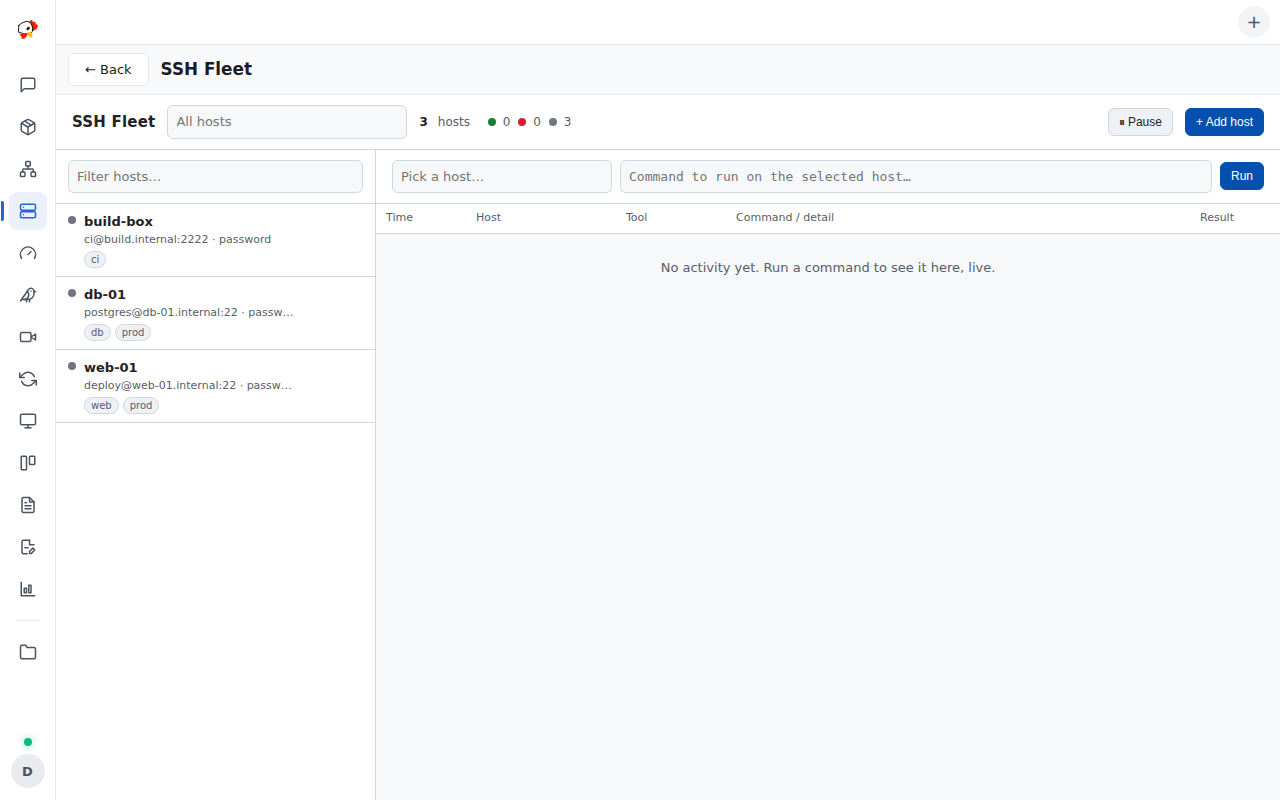
Each host carries a hostname, port, username, a friendly label, tags, an optional pinned server-key fingerprint, and exactly one credential. The recommended credential is a reference into PeckBoard’s SSH key vault (Settings → SSH Keys, admin-only), where named private keys are stored encrypted at rest — the plugin then holds only the key’s id and core resolves the material at connect time. A host can instead carry an inline password or private key; inline hosts keep working but show a legacy inline key badge in the dashboard, and their credentials sit unencrypted in the plugin’s data store, so prefer the vault. The SSH client itself is built into PeckBoard core (pure-Rust russh), so credentials stay in memory and are never written to disk by a connection.
| Tool | What it does |
|---|---|
ssh_host_add |
Registers a host: hostname, username, and exactly one of vault key id, password, or inline key |
ssh_host_update |
Updates a host by id; omitted credentials are kept, passing one switches the auth kind |
ssh_host_remove |
Removes a host by id, label, or hostname |
ssh_host_list |
Lists hosts with credentials redacted and last-seen status, optionally filtered by tag |
ssh_probe |
Connects and authenticates only — returns the server-key fingerprint to pin, and latency |
ssh_run |
Runs a command on one host: stdout, stderr, exit code (1 MiB per stream, up to 600 s) |
ssh_run_many |
Runs one command across a host list, a tag, or the whole fleet, with per-host results |
ssh_read_file |
Reads a remote file over SFTP as text plus base64, capped at 1 MiB |
ssh_write_file |
Creates or overwrites a remote file over SFTP |
ssh_edit_file |
Edits a remote file: full replacement or literal find/replace with an expected-count check |
Hosts are referenced by id, label, or hostname, case-insensitively. The one setting, connect_timeout_secs (default 15), bounds the TCP connect and auth handshake.
Hooks, permissions, and upgrade notes
Hooks: mcp.tool.invoke, http.request.before, http.request.authed. Permissions: provide_mcp_tools, ssh, ssh_keys, data_store, user_authority, contribute_sidebar.
Upgrading from 0.2.x re-triggers the approval prompt once — 0.3.0 added the ssh_keys permission for the vault integration. Existing inline hosts are not migrated automatically (plugins have no vault write access); re-create a host with a vault key to move it.