 PeckBoard
Nginx Proxy Manager
This plugin connects sessions to a self-hosted Nginx Proxy Manager instance through the MCP server it ships — proxy hosts, redirections, streams, certificates, and access lists. The tool catalog is discovered live from your instance per API-key scope, so it always matches your NPM version.
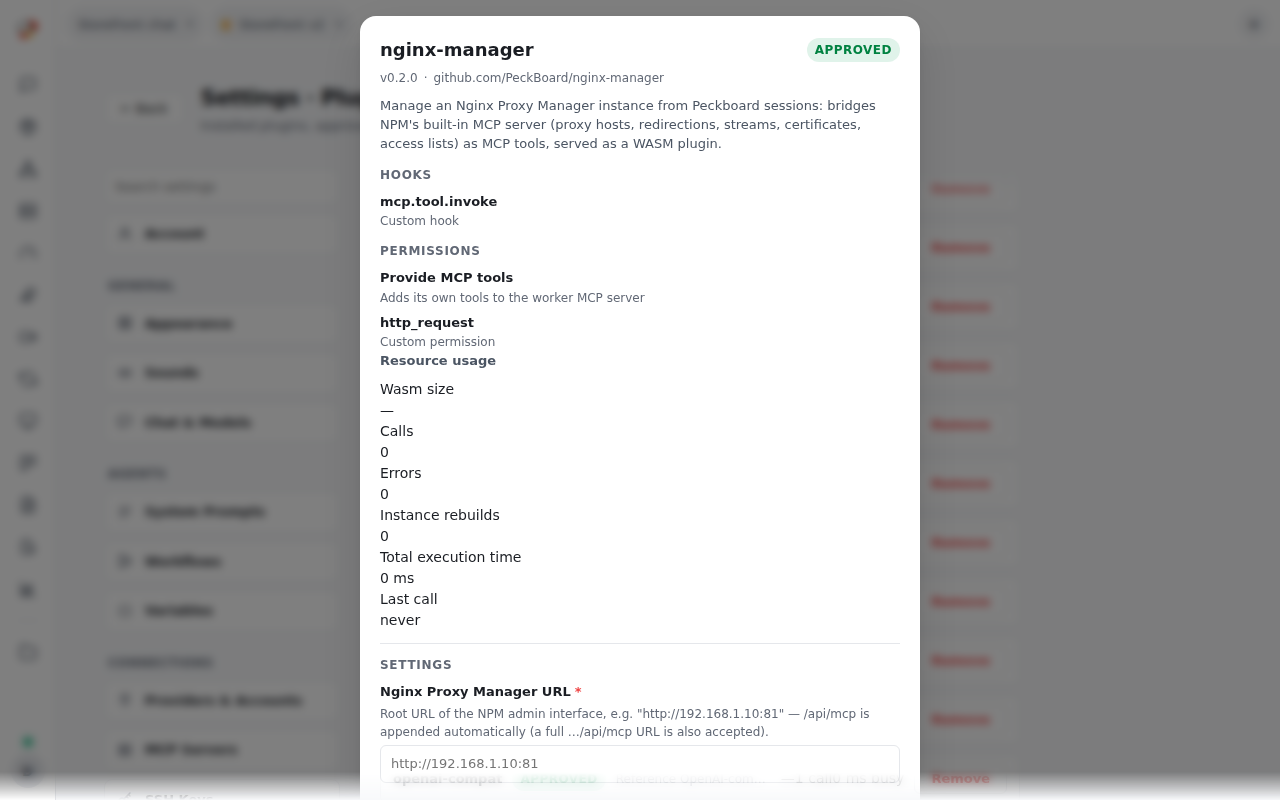
Configure it in the plugin’s settings form — base_url (the NPM admin URL, e.g. http://192.168.1.10:81) and api_key, stored masked — or with npm_configure from a session. The settings form is the recommended path: the API key never enters a chat transcript.
| Tool | What it does |
|---|---|
npm_configure |
Stores the instance URL and API key, verifying the connection |
npm_status |
Checks the connection and reports the server info and discovered tools |
npm_list_tools |
Lists what your key’s scopes allow, with full schemas on request |
npm_call |
Invokes any NPM tool — proxy hosts, certificates, access lists, streams |
Wire behaviour and permissions
The bridge speaks stateful Streamable HTTP (session id plus initialized notification), handles both SSE-framed and JSON-framed responses, and re-initialises exactly once when NPM reports an expired MCP session. Slow remote operations — certificate issuance, for example — wait host-side, so they are not cut off by the short per-call plugin timeout. A remote tool error surfaces as a tool error, not as a payload to misread.
Hooks: mcp.tool.invoke. Permissions: provide_mcp_tools, http_request — outbound HTTP including private and LAN targets, which is what reaching a self-hosted instance requires.